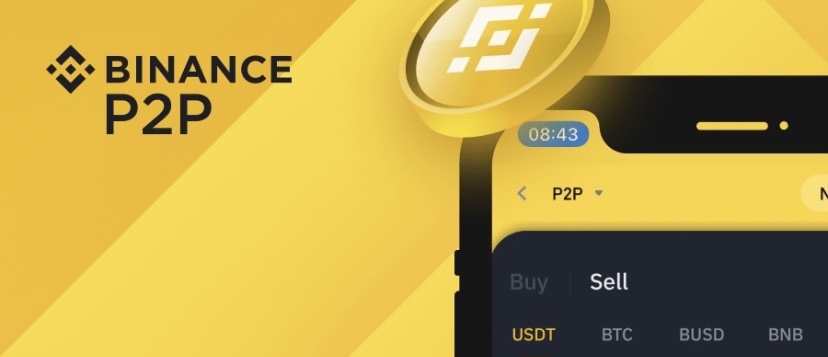
What is Binance P2P?
Peer-to-peer (P2P) is a decentralized communications model in which each party has the same capabilities and either party can initiate a communication session. Within the cryptocurrency space, P2P is simply two counter-party trading with each other without interruption or a third party. Binance P2P is a platforms that allow users to swap their Bitcoin and other cryptocurrencies for a preferred currency. Your traditional crypto exchange uses an automated engine to complete buy and sell transactions; however, P2P marketplaces like Binance P2P enable users to directly trade crypto with one another using their preferred payment method and local currency.
Why is P2P the best way for beginners to buy Bitcoin in local currency.
- Security: there is always the issue of security and safety when it comes to trading cryptocurrency online especially for beginners. P2P trading is more convenient than your traditional crypto exchange. At Binance P2P, there is an escrow service that ensures safe and fair trading. Once a buyer completes their order, Binance handle the seller’s cryptocurrency in a temporary deposit until both parties confirm the transaction is successful. There is no chance for one party to scam another here, so there is no need to be scared. With this, Beginners have a sure place to safely buy Bitcoin with ease.
- Zero fee: Fee is often an issue when it comes to trading Bitcoin. Most beginners are always so curious about the fee while others are scared away due to high fee. Traditional crypto exchanges serve as intermediaries and will collect a small fee from all crypto transactions. On a P2P marketplace like Binance P2P, you can buy or sell Bitcoin and other popular cryptocurrencies from other users with zero fees.
- Live trade chat: Most often, beginners trade blindly without knowing who or what is going on. On BINANCE P2P, Chat with your trading counterparty before you complete any transaction. Clarify payment requirements, follow up with delayed transactions or get to know who you’re trading with.
- Multiple payment methods: Binance P2P offers more than 300 different payment methods on, including local bank transfer, SEPA Transfer, International transfer, online wallet, cash and more. You have the option to choose whichever method that fits your need. You can use your local payment in your area with your local currency.
- Customer support: Getting immediate response on issues you may face on sites in not an issue to worry about on BINANCE P2P. If you encounter a problem with your P2P trading counterparty, you can quickly seek assistance from Binance’s customer support team, who will contact you via email. customer service team will come in to mediate between both parties and solve the issue.
How to buy and sell cryptocurrencies on BINANCE P2P
Buying of cryptocurrency has never been this easy. Binance P2P provides you with a means to buy cryptocurrency with your local currency and also with your local preferred payment method. There are different options to choose, from the seller, the amount, to the payment method. Follow the steps below.
- The very first thing to do is to have a verified Binance account which you can create it HERE for free. Once you have a verified Binance account, you are good to go. Get the Binance mobile App from your Google play store or your App Store. Check HERE on how to verify your Binance account.
- On your Binance mobile App, Login to your account with your login details, now if you are on Pro mode, on the home page, click on “More”
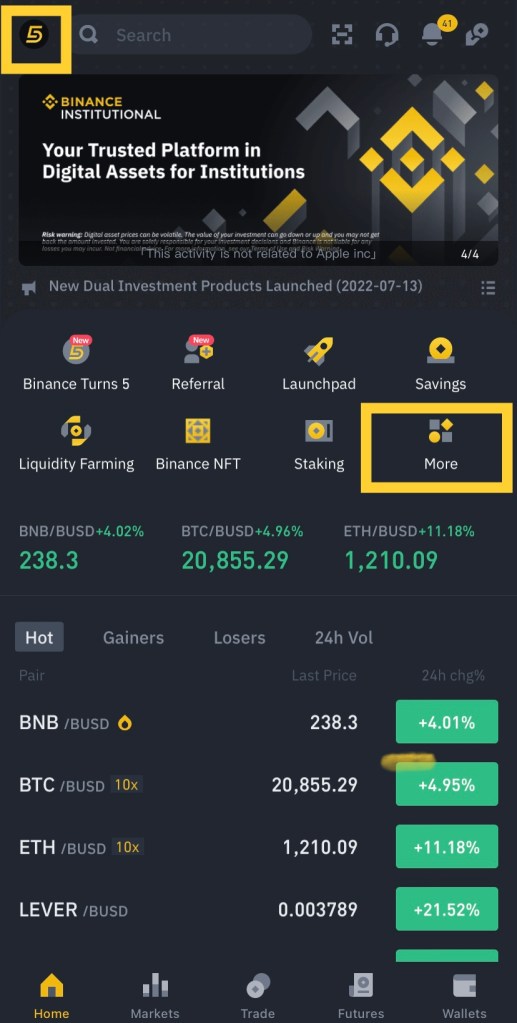
*Note: to toggle between Lite and Pro mode, click on the icon on the top left of your screen and you will be able to switch from Lite to Pro.
- Once you click on More, it will bring up many products and services. Scroll to “Trade” and click on P2P. It will take you to the P2P platform where you can begin trading.
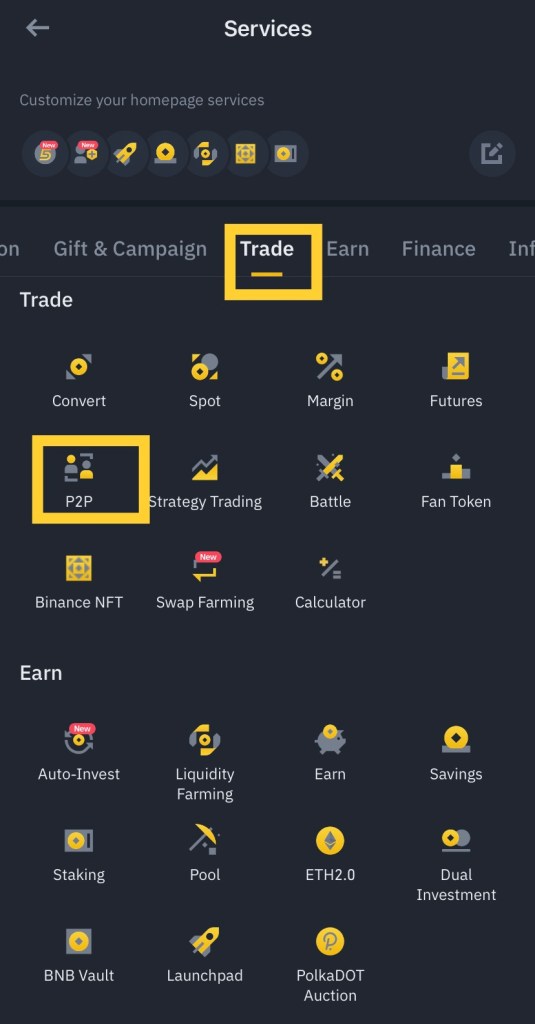
- Now, it is very important to note that P2P can work with your location as you permit. So when trading, you can set all parameters like currency, payment methods and other filters, so that it will reflect your location and it will be very easy for you to carry out your trade.
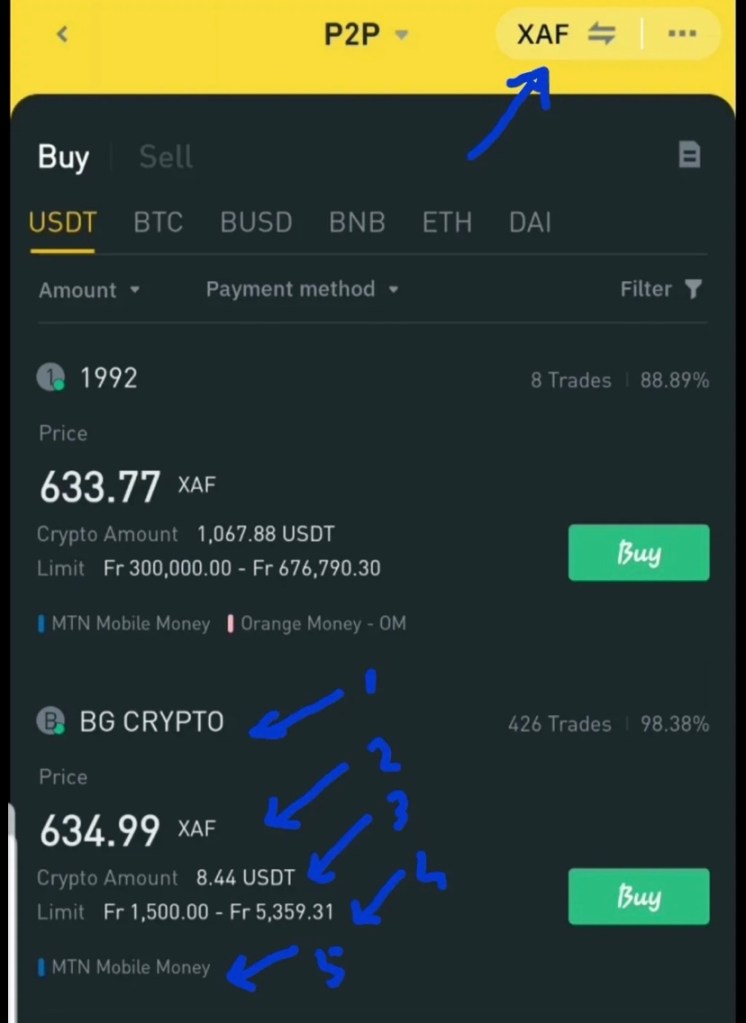
- Within the platform, on the top right corner, your can change the currency to your preferred currency. Since we are in Cameroon, we will choose “XAF” if you are from Nigeria, you can choose “NGN” as so on.
- Also, you will be able to see the different cryptocurrency available on the platform so that you can choose which one you wish to buy such as USDT, BTC, BUSD, ETH, BNB and DAI.
- Once you choose a coin, you will see the various sellers available. Under each seller, you will have the (1) the name (2) Price (3) Amount available (4) Limits, minimum and maximum order (5) Payment method available. Each seller may have different options and as such, you can scroll between sellers to check which is convenient for you. Once you make your choice, click “buy” on the seller.
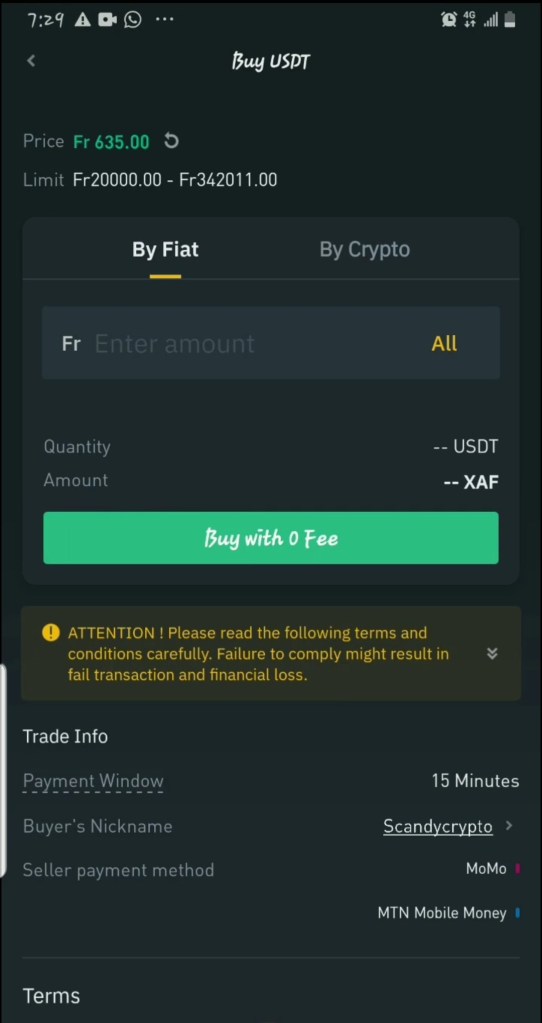
- Once you click on a seller, you will have to input the amount in fiat you wish to buy or in crypto. Choose fiat for easy understanding on the amount you want to buy and the crypto quantity will display below. once you are good, click on “Buy with zero fee”
- You order will be created with the time you have to pay the seller. You will have to choose the payment method to make the payment. Click on payment method, select the method you want and click make payment.
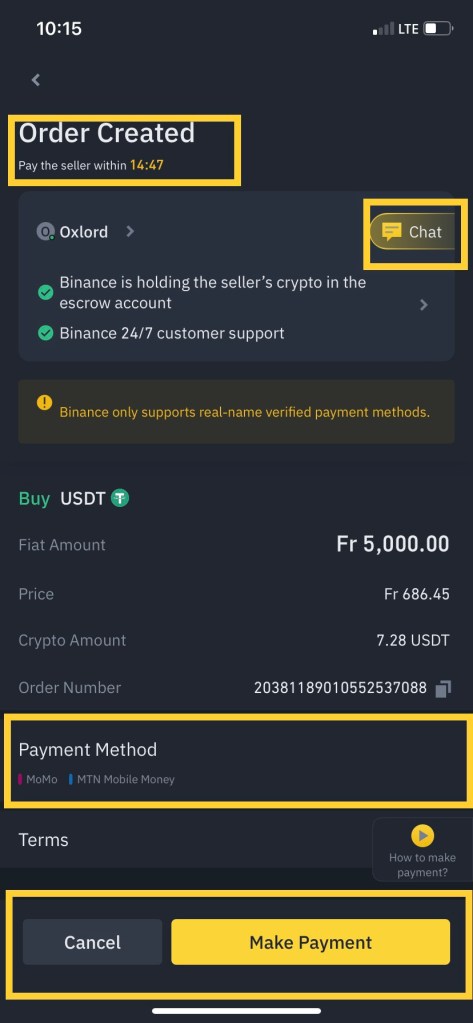
Also, you can chat with the seller on preferred payment method or you can cancel the order if you do not want to trade anymore; but take note of the warning when canceling a trade.
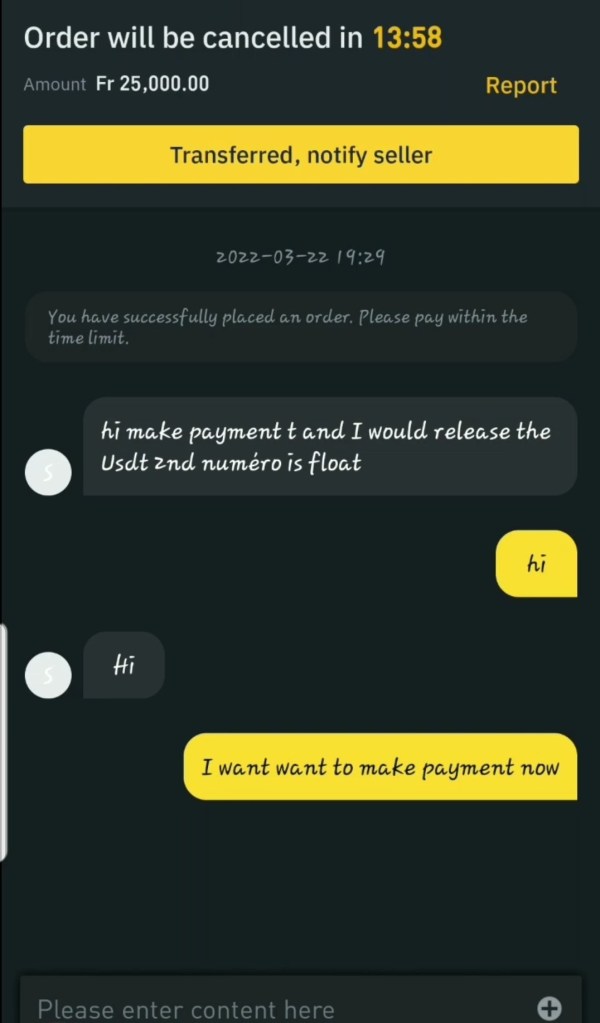
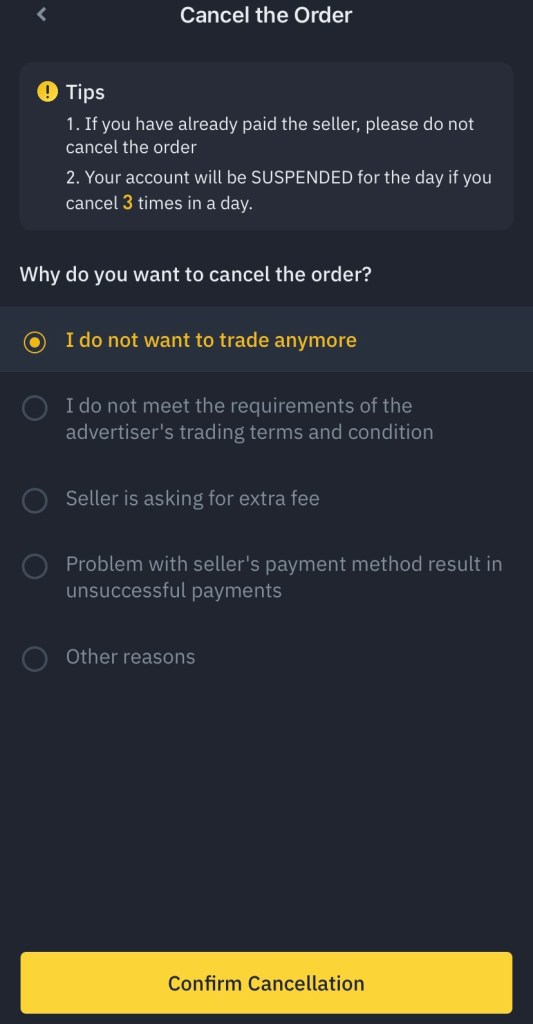
- If you wish to continue with the trade, choose the payment method and make the payment. The amount to pay will be displayed together with the payment information depending on the payment method. Once you complete the payment, click on “Transferred, notify seller” on the button right.
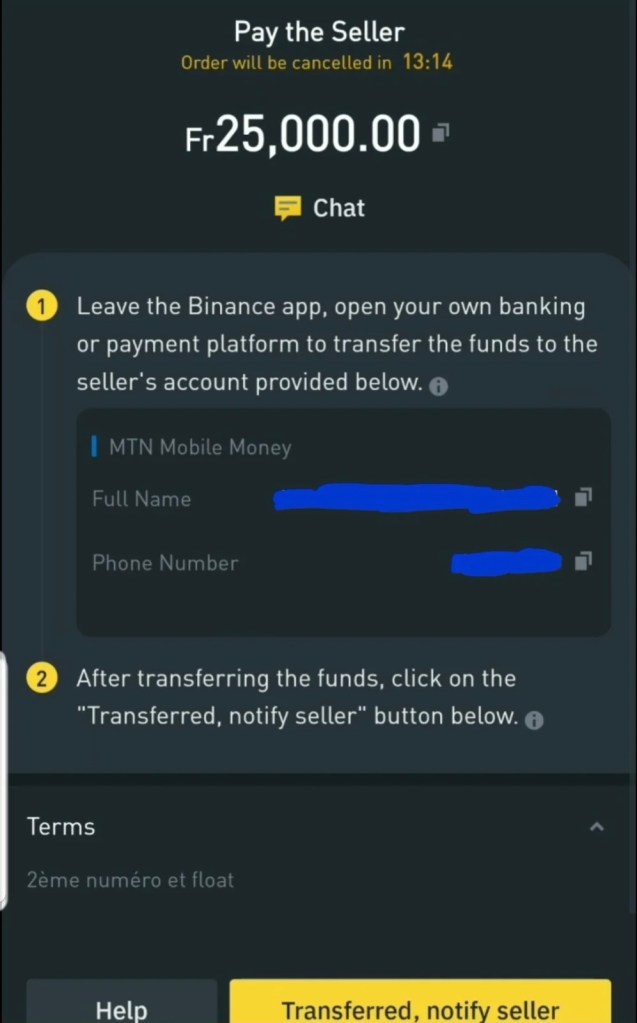
- Now the seller will be notified and the coin will be on releasing mode. You can with for a few seconds or chat the seller.
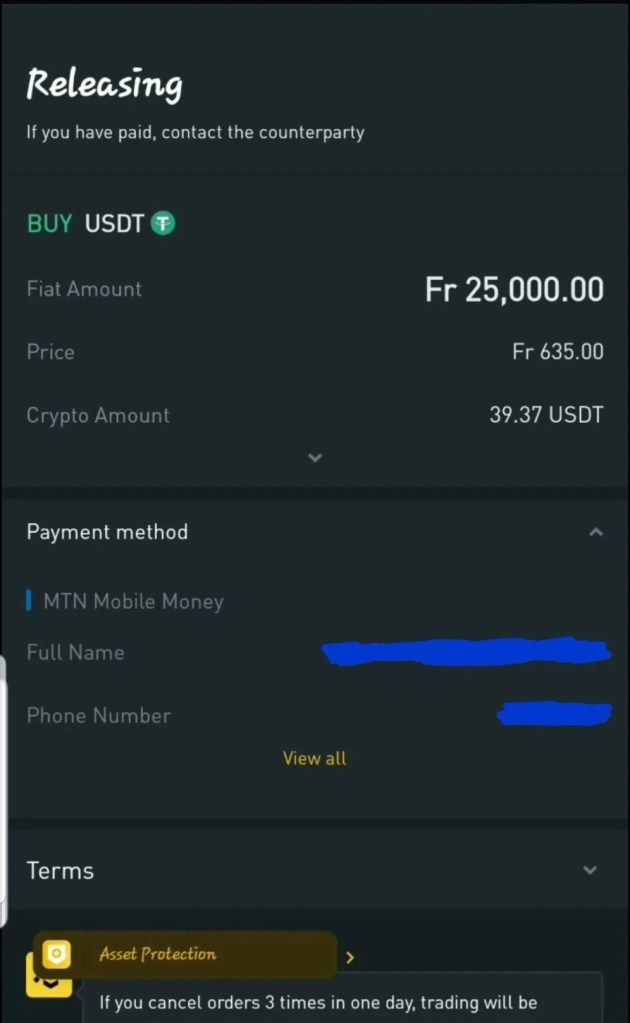
- Once the seller gets the payment, your coin will be released and deposited into your funding account
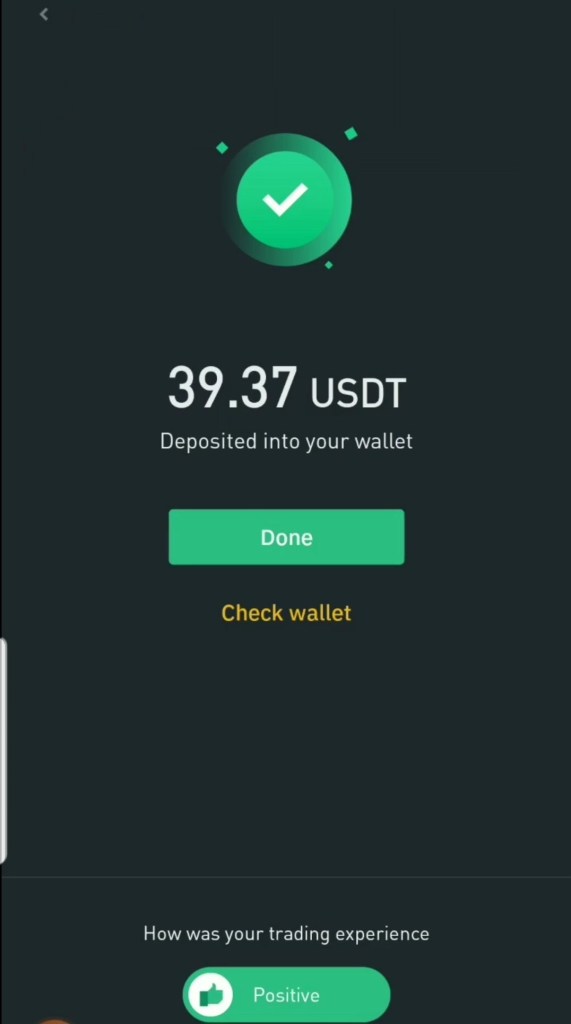
- From there, you can continue to use it or transfer it to you spot wallet and continue with your business
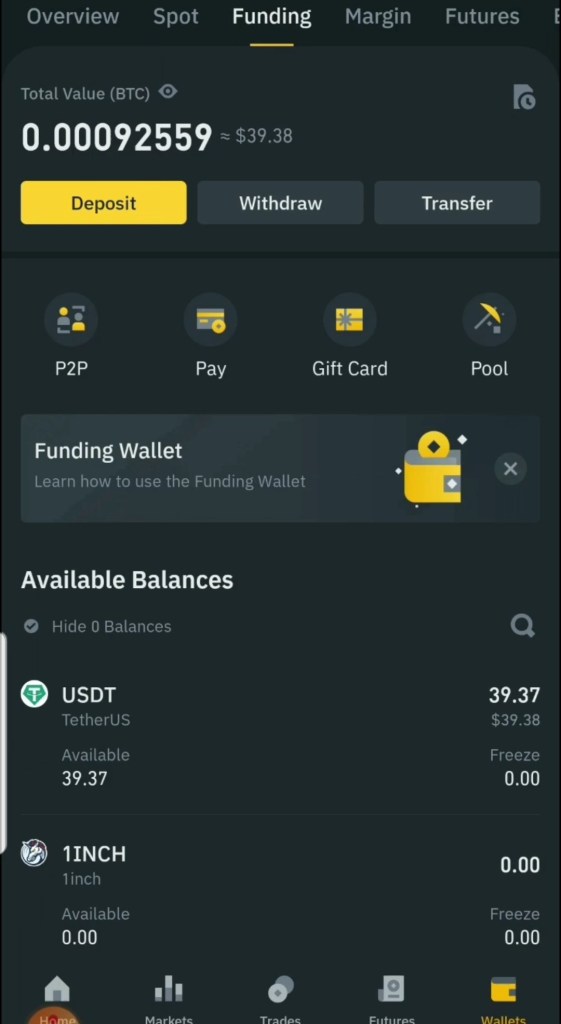
Once, you follow these simple steps, it can take you about a minute or 2 to complete trading on BINANCE P2P. It may take longer for coin to be released in some rare cases, but most of the time, it take less than no time to buy cryptocurrency on P2P.
Selling crypto on BINANCE P2P
To sell on P2P is very easy, safe and secure. Once you have your crypto you wish to sell, make sure it’s in your funding wallet, if not, then you can transfer it to your funding wallet buy using “Transfer”
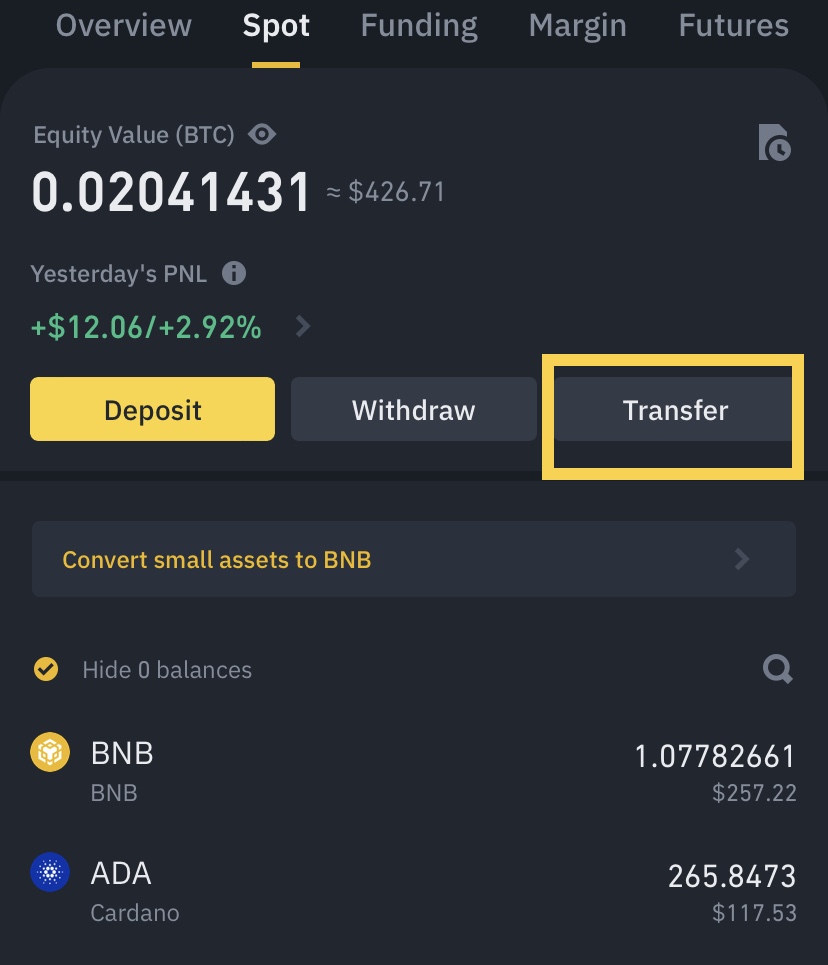
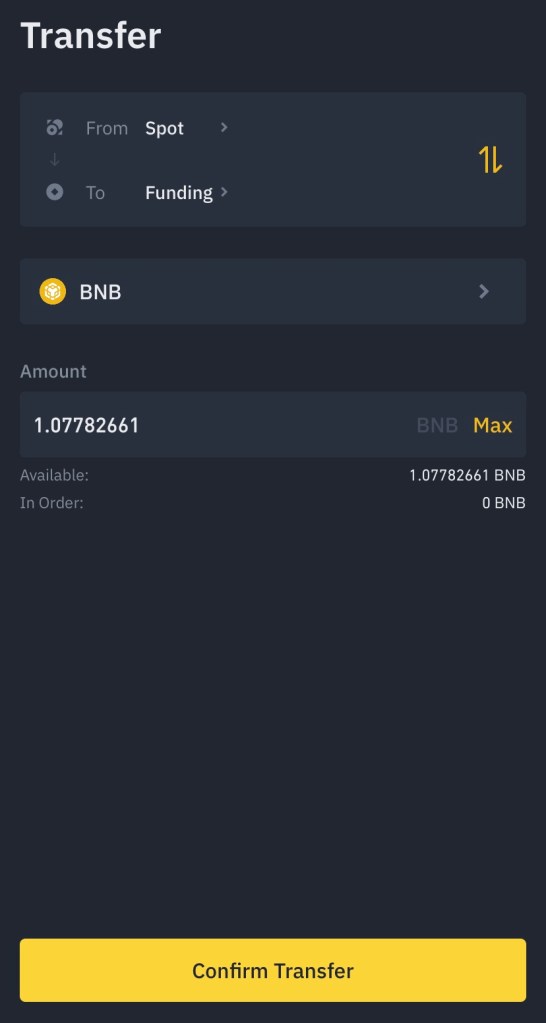
Once you have transferred the amount you wish to sell, go to your P2P homepage and select “Sell”
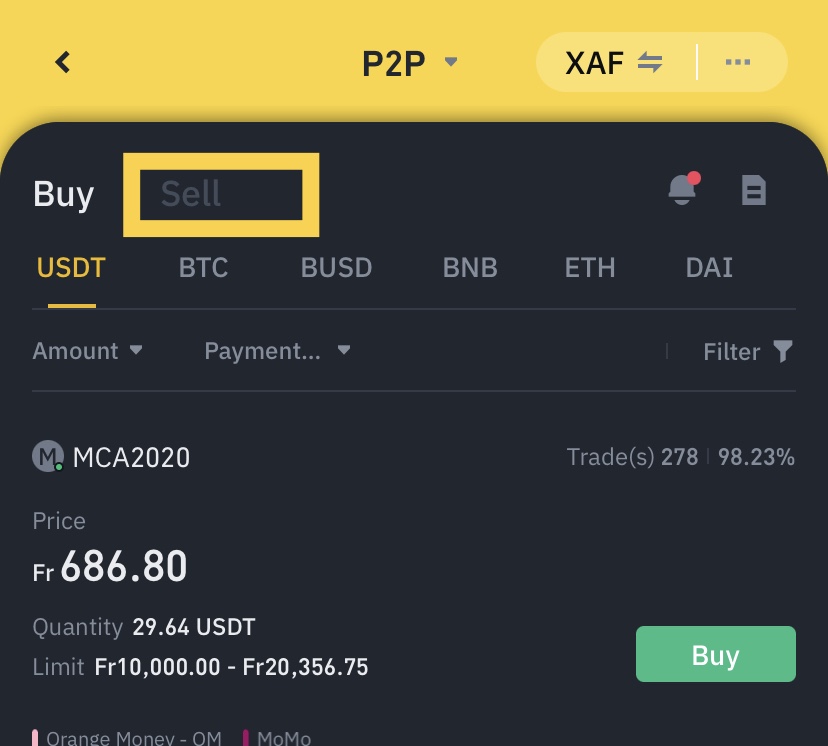
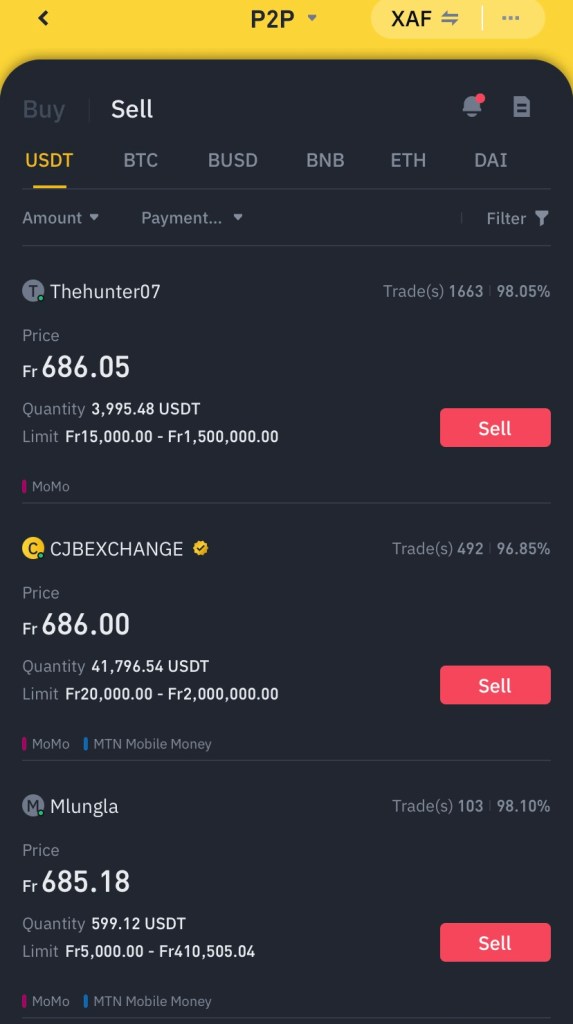
Select a coin and select “sell”
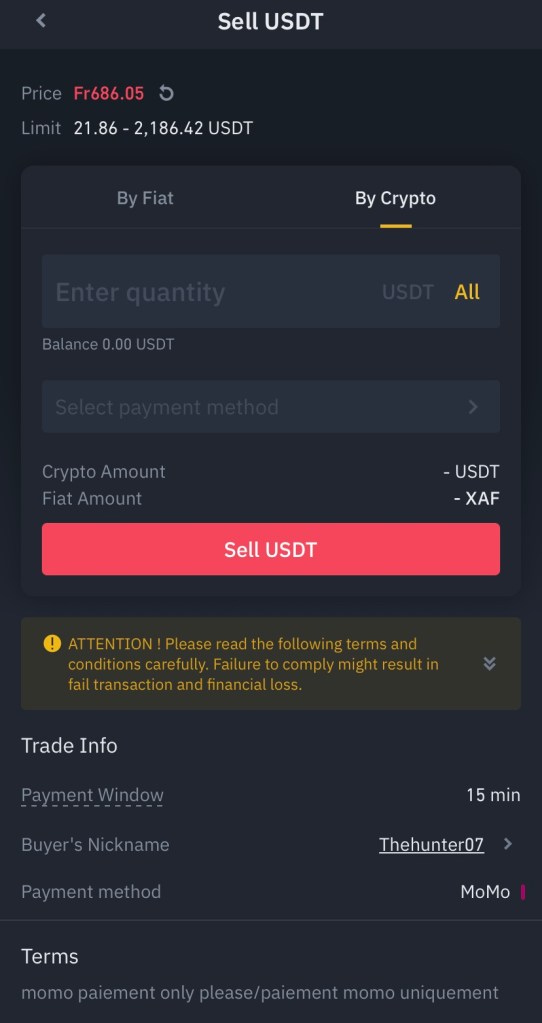
You will now have to enter the quantity you want to sell and select the payment method then click on “Sell USDT or the coin you choose so as to create a sell order”
The transaction will now display “Pending Payment”. After the buyer makes payment, the transaction will then display “Confirm Receipt”. Please make sure that you’ve actually received payment from the buyer, to the payment app/method you selected. After you confirm the receipt of money from the buyer, tap [Payment received] and[Confirm] to release the crypto to the buyer’s account. Again, If you have not received any money, please do not release crypto to avoid any financial losses.
It is relatively easy to trade on BINANCE P2P as compared to other traditional crypto platforms. Whether to buy or sell cryptocurrency, P2P is very secure, flexible and fast. With this information, you can start trading on BINANCE P2P in less than no time. Start trading NOW
Join Binance today for all your crypto transactions.

 The Blockchain Project