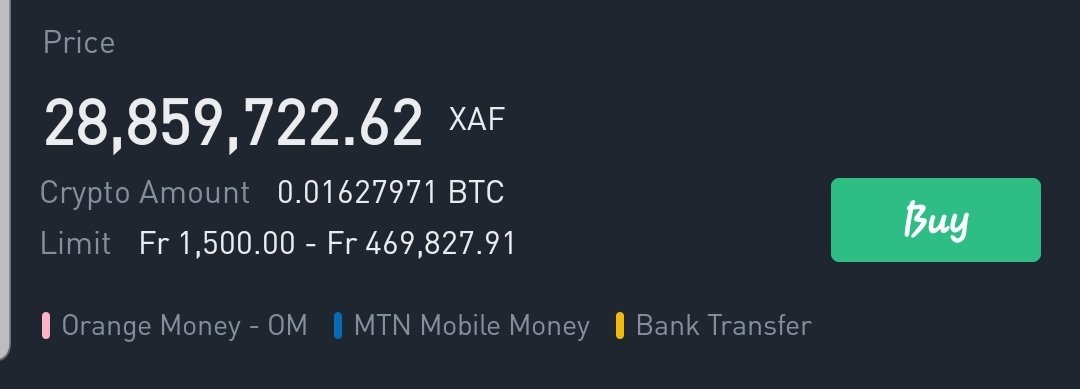
Binance P2P provide Binance users with the ability to buy Bitcoin at any moment in time once you have a verified Binance account and your payment method is in order. Binance P2P is a Peer to Peer platform that enables you to trade directly with another counterparty using your local payment method and your local currency. You can select from a number of sellers, choose the best rate and price, and choose your preferred payment method to carryout transactions.
How to access Binance P2P
For you to access Binance P2P, you will need a verified Binance again which you can create HERE for free. Once you have create your account, verify it and then start trading immediately. You can access the service either on the Binance mobile App or the Binance website. Get the Binance mobile application from Google play store or your App store.
Choosing a seller to buy from
Once you are on the P2P platform, there are different sellers to buy from. You choose a seller base on the amount you want and the best rate. But also, depending on your preferred payment method. In other to easily use the platform, change the currency to your local currency like “NGN or XAF”. You can also find seller based on filter payment method.
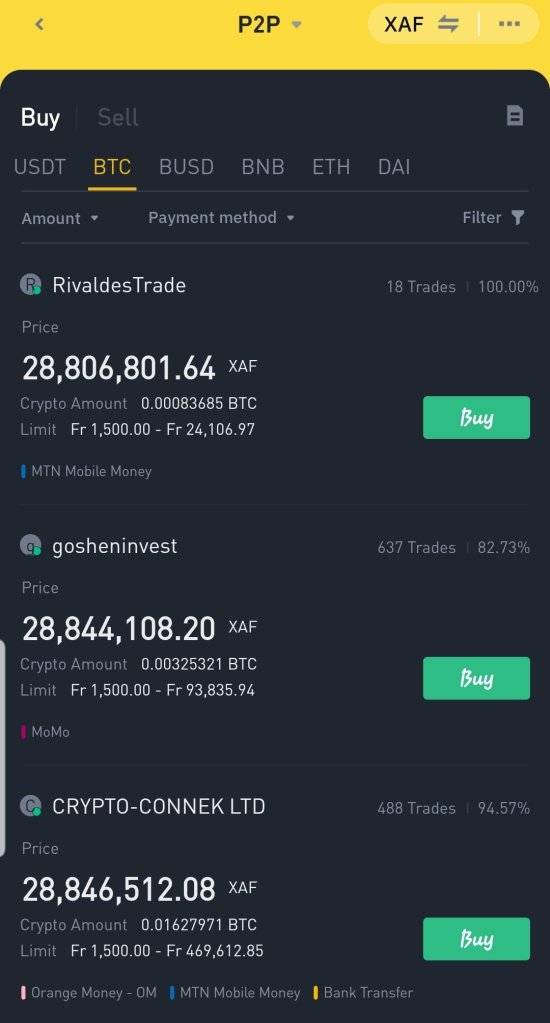
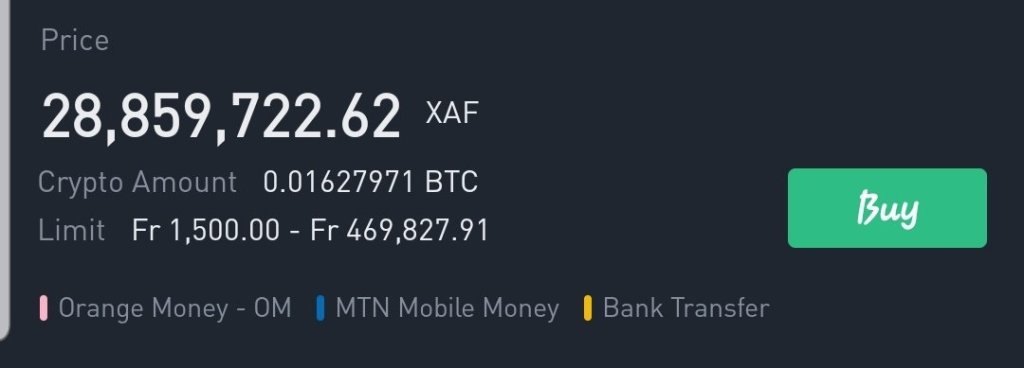
On the BTC page, you will see the available sellers.
- You will see the name of the seller.
- Next you will see the price of Bitcoin.
- Then you will see the amount available to be sold.
- Also, you will see the limit, the lowest and highest you can buy.
- Lastly, you will see the payment method available.
Now, you will choose a seller base these categories. You will choose the best rate, the seller whose limit you can afford and also the seller who has your preferred payment method. Once you find a select who has all the categories you want, you can select and proceed to create an order.
Payment method
Payment method is the way you wish to pay the seller for the Bitcoin you want. So there are different payment methods available on the platform like;
- Bank transfer: which is sending the payment through your banking system.
- Card transfer: which is using a credit card or ATM card to kalr the payment.
- Mobile money: which is using mobile money services like MTN mobile money, Orange mobile money to send payment to the seller.
These are the most common payment method available and they are the methods which is widely use by people in Africa especially the Mobile money payment method.
The sellers payment details will be given to you for whatever payment method you choose to use. So if you are using your favorite payment method like MTN mobile money, once you create the order, the payment details like the mobile money Number and the account name will be given to you so as to send the payment.
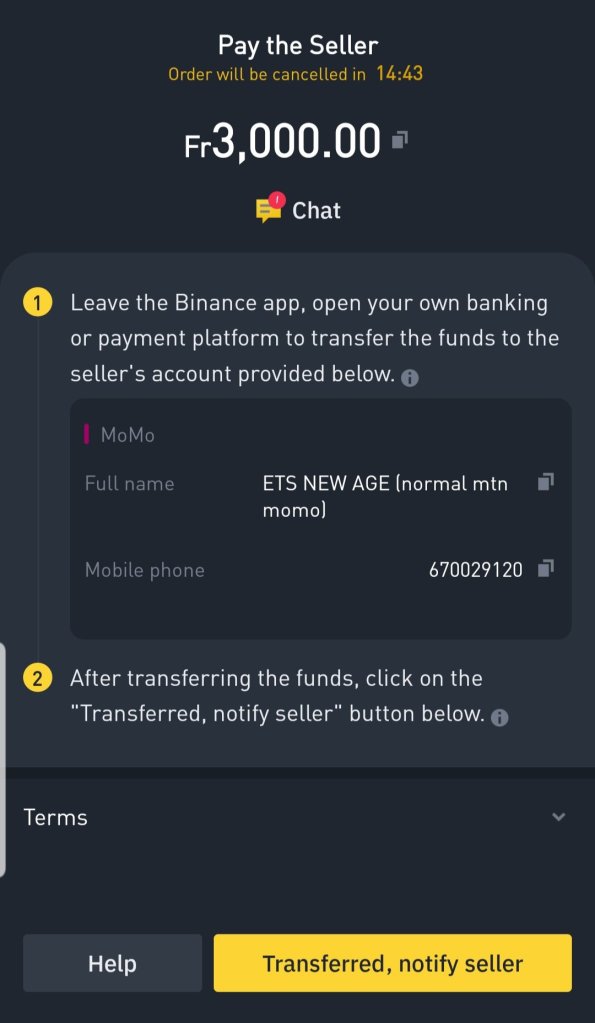
Note that, payment method will be given based on the currency you selected. The payment methods above are mostly associated with the XAF currency used in Cameroon and other Francophone African countries.
Completing your trade
Once you chose the seller you wish to trade with, you input your amount, and make the payment. You can even use the “Chat” option to discuss with the seller on how to pay or to inform him you have made the payment. But note that once you complete the payment, you should click the “Transfered, notify seller” button at the bottom right. Please make sure to keep your conversation crypto related and strictly to the transaction. When you are sending payment using your favorite payment method, do not include any additional cost except the amount displayed on the payment page and also do not include any crypto details or comments in the transaction.
Do not go out of the Binance platform to continue the transaction, you should only launch your payment platform to make the payment and come back to the Binance app. If you sense anything fishy, report to the customer support on the platform. Beware of SCAMS.
Once your payment is made and you notify the seller, your Bitcoin will be released to your funding account which you can access and continue your activity.
Trade on Binance P2P today HERE and enjoy the opportunity to buy Bitcoin with Zero fee using your favorite payment method.

 The Blockchain Project